A cryptocurrency widget on Android puts selected coin prices on the home screen, so price changes can be checked at a glance without opening an app. It is a display and alert tool, not a trading platform and not a source of investment advice. Used well, it saves time and helps track coins already owned or being followed. Used badly, it can create noise, drain battery life, and encourage impulsive decisions based on short-term price moves.
This guide explains what a crypto widget does, how to add one, which features are actually useful, and how to choose one safely.
What Is a Cryptocurrency Widget on Android?
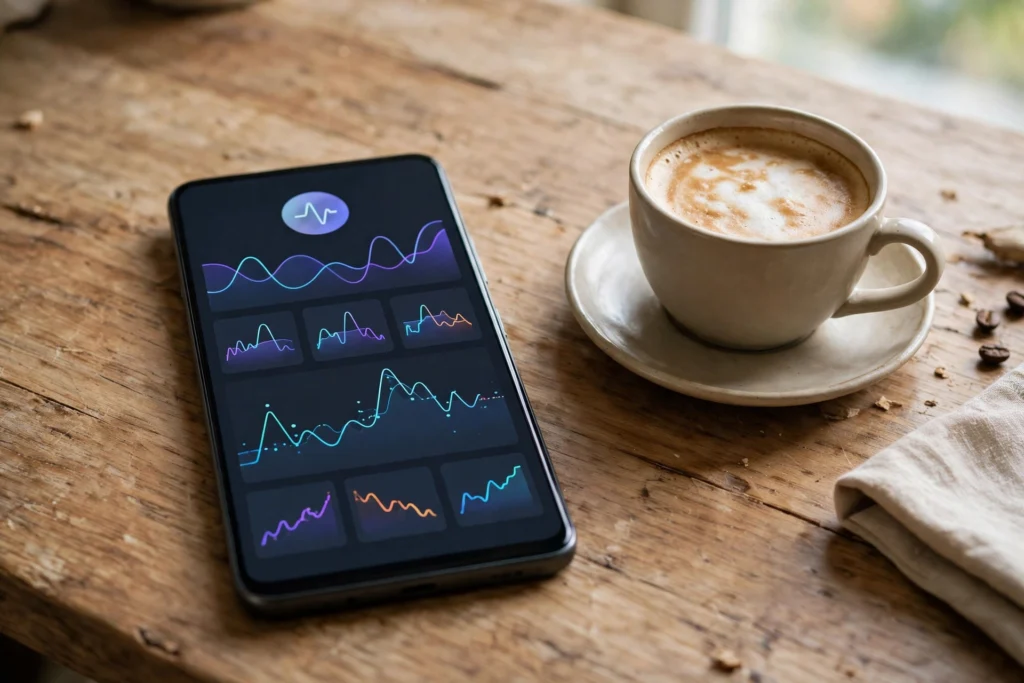
A widget is a small, live panel that sits on the Android home screen and shows information from an app without opening it. A cryptocurrency widget typically shows the current price of one or more coins, the change over the last 24 hours, and sometimes a small price chart.
Most widgets pull price data from an aggregator or exchange feed. Well-known price-data sources include CoinGecko and CoinMarketCap, and many widget apps use one of these feeds, an exchange feed, or a combination of sources. The widget itself does not set the price. It only displays the latest figure its data source has supplied.
Widgets come in different sizes. A small 1×1 or 2×1 widget might show a single coin and its price. A larger widget can show several coins, a portfolio total, or a chart. The right size depends on how much information is needed at a glance and how much home-screen space is available.
How to Add a Crypto Widget to an Android Home Screen
The exact steps vary slightly by phone brand and Android version, but the general process is the same:
- Install a widget app from the Google Play Store and open it once to set it up.
- Choose the coins to track and, if offered, the currency for prices, such as USD, EUR, or GBP.
- Long-press an empty area of the home screen, then tap Widgets.
- Find the app in the widget list, choose a widget size, and drag it onto the home screen.
- Tap the widget to adjust its settings, such as which coins appear and how often prices refresh.
If the widget does not appear in the list, check that the app is installed and has been opened at least once. Some phones also require the app to be excluded from battery optimization before a widget will update reliably in the background.
Before choosing coins to track, it helps to understand what each coin is and why it is being followed. Researching a coin before tracking it makes the price movements on the home screen easier to interpret and less likely to prompt a rushed reaction.
Features Worth Looking For
Not every widget needs every feature. The most useful ones are straightforward:
Coins tracked. A good widget supports the coins actually held or followed, not only the largest ones. Check that less common coins are available before settling on an app.
Refresh interval. Prices should update often enough to be useful, typically every few minutes. Very frequent updates can drain the battery and use more mobile data, so a configurable interval is better than a fixed one.
Price alerts. Alerts notify the user when a coin crosses a set price or moves by a set percentage. This is more useful than staring at a widget all day, because it limits checking to moments that matter.
Portfolio view. Some widgets can show the total value of holdings entered by the user, along with the gain or loss since purchase. This only works if holdings are entered accurately and kept up to date.
Currency and display options. The ability to switch the display currency, choose light or dark mode, and resize the widget makes it easier to read and less distracting.
Clear data source. A widget should state where its prices come from. If the source is not named anywhere in the app, that is a reason to be cautious.
Price Alerts: Useful, But Not Investment Advice
Alerts are one of the best reasons to use a widget. A price alert can flag a sharp rise or fall without requiring constant manual checks. Alerts can be set for a specific price level, for example when Bitcoin crosses a chosen threshold, or for a percentage change over a set period.
Alerts do not predict what will happen next. A price crossing a threshold says nothing about whether it will keep rising, fall back, or move sideways. An alert is a prompt to review the position calmly, not a signal to buy or sell immediately.
Too many alerts can be counterproductive. Setting alerts for every small move on several coins creates constant interruptions. A smaller number of alerts, tied to levels that genuinely matter, is easier to act on and less stressful.
Portfolio Tracking on the Home Screen
Some widgets offer a portfolio view, showing the combined value of the coins entered by the user. This can be convenient for a quick daily check, but it has limits.
Portfolio totals are only as accurate as the holdings entered. If a coin is bought or sold and the widget is not updated, the total will be wrong. Some apps can connect to an exchange account to sync balances automatically, but that requires granting account access, which carries its own security risks and should only be considered with a trusted app.
For most users, manually entering holdings and updating them after trades is the safer option. It avoids sharing exchange credentials and keeps the widget as a simple display tool rather than a connected account.
Privacy and Security: What to Check Before Installing
A widget app asks for permissions, and those permissions deserve attention. A price widget needs internet access to fetch prices. It does not need access to contacts, messages, photos, or location. If an app requests permissions that have no clear connection to showing prices, that is a warning sign.
Never enter a seed phrase, private key, or wallet recovery phrase into a widget app. A legitimate price widget has no reason to ask for these. Anyone who gains access to a seed phrase can move the funds in that wallet, and no widget feature justifies that risk.
The same caution applies to exchange API keys. Some apps offer portfolio syncing through an API key. If this feature is used, the key should be read-only, with withdrawals disabled, and it should only be created for a reputable app. For most users, skipping this feature entirely is the simpler and safer choice.
Free widget apps often show ads. Ads themselves are normal, but an app that is heavy with ads, pushes unrelated offers, or asks for payment to remove basic price tracking may not be worth keeping. Checking the app’s privacy policy before installing is also worthwhile: it should explain what data is collected and why.
How to Judge a Widget App Before Installing
Choosing a widget app takes a few minutes of checking, and it is worth doing before placing anything on the home screen:
- Developer reputation. Check who publishes the app, how long it has been available, and whether the developer has other apps with a clear track record.
- Reviews. Read recent reviews, not only the overall rating. Look for repeated complaints about incorrect prices, widgets that stop updating, or excessive ads.
- Update history. An app updated in the last few months is more likely to work with current Android versions. An app untouched for years may stop working after a system update.
- Permissions. Review the permissions listed on the Play Store page and again during installation. Decline or uninstall if the requests seem excessive for a price display.
- Ads and in-app purchases. Check what is free, what is paid, and whether the paid version removes ads or adds features that are actually needed.
For readers new to crypto in general, it is worth learning the basics of crypto investing before relying on any tracking tool. A widget shows prices; it does not explain risk, volatility, or how to evaluate a coin.
Realistic Limits of a Crypto Widget
A widget has real limits, and understanding them prevents disappointment:
Prices can lag. Widget prices update on a schedule, not continuously. During fast market moves, the figure on the home screen may be minutes behind the live market. For a quick check this is fine; for time-sensitive trading it is not reliable.
A widget is not a wallet or an exchange. It cannot buy, sell, or store crypto on its own. Any app that claims a widget can trade directly should be treated with suspicion unless it is a well-known exchange app with a clear trading function.
Charts are simplified. The small chart on a widget shows a rough trend, not the detail needed for serious analysis. Full charts, order books, and trading tools still belong in a dedicated app or on a desktop.
Constant checking has a cost. Having prices visible all day can encourage frequent checking and emotional reactions to normal volatility. If the widget is causing stress, reducing the number of coins shown, turning off non-essential alerts, or removing the widget for a while are all reasonable steps.
FAQ: Cryptocurrency Widget Android
Do crypto widgets on Android show live prices?
They show recent prices that update on a schedule, usually every few minutes. The display can lag behind the live market during fast moves, so it is best treated as a quick reference rather than a real-time trading feed.
Is a crypto widget safe to use?
A widget from a reputable developer that only asks for sensible permissions is generally low-risk. The main safety rules are simple: never enter a seed phrase or private key, avoid granting unnecessary permissions, and do not connect exchange accounts unless the app is trusted and the connection is read-only.
Can a crypto widget track a portfolio?
Some widgets can show a portfolio total if holdings are entered manually. Automatic syncing through an exchange connection is offered by some apps, but it requires sharing account access and should only be used with a trusted app.
Why has a widget stopped updating?
The most common causes are battery optimization restricting background activity, a lost internet connection, or an app that needs updating. Checking battery settings for the app, confirming the connection, and updating the app usually resolves it. If the problem persists, removing and re-adding the widget can help.
Conclusion
A cryptocurrency widget on Android is a practical tool for keeping an eye on prices without opening an app every time. The best setup is a simple one: a trusted app, a small number of coins that are genuinely being followed, a sensible refresh interval, and a few well-chosen alerts. With realistic expectations and basic security care, a widget can make tracking crypto calmer and more organized, without pretending to predict the market.